Customer.io Pros and Cons: An Honest Review for 2026
Customer.io sits in a specific lane: it's built for technical marketing teams at growth-stage SaaS companies who've outgrown basic tools and need real control over behavioral automation. It's not your first email platform, and it's not trying to be. But if you're at the point where you need event-based triggers, deep segmentation, and multi-channel lifecycle campaigns — it becomes one of the most capable tools in the category.
This guide breaks down exactly what Customer.io does well, where it falls short, who it's genuinely right for, and what you should compare it against before committing to a plan that starts at $100/month and climbs fast.
What Is Customer.io? Strategic Overview
Customer.io is a customer engagement platform designed around behavioral data. Unlike newsletter-focused tools like Mailchimp or broadcast-first platforms like Brevo, Customer.io is built from the ground up to react to what users actually do inside your product.
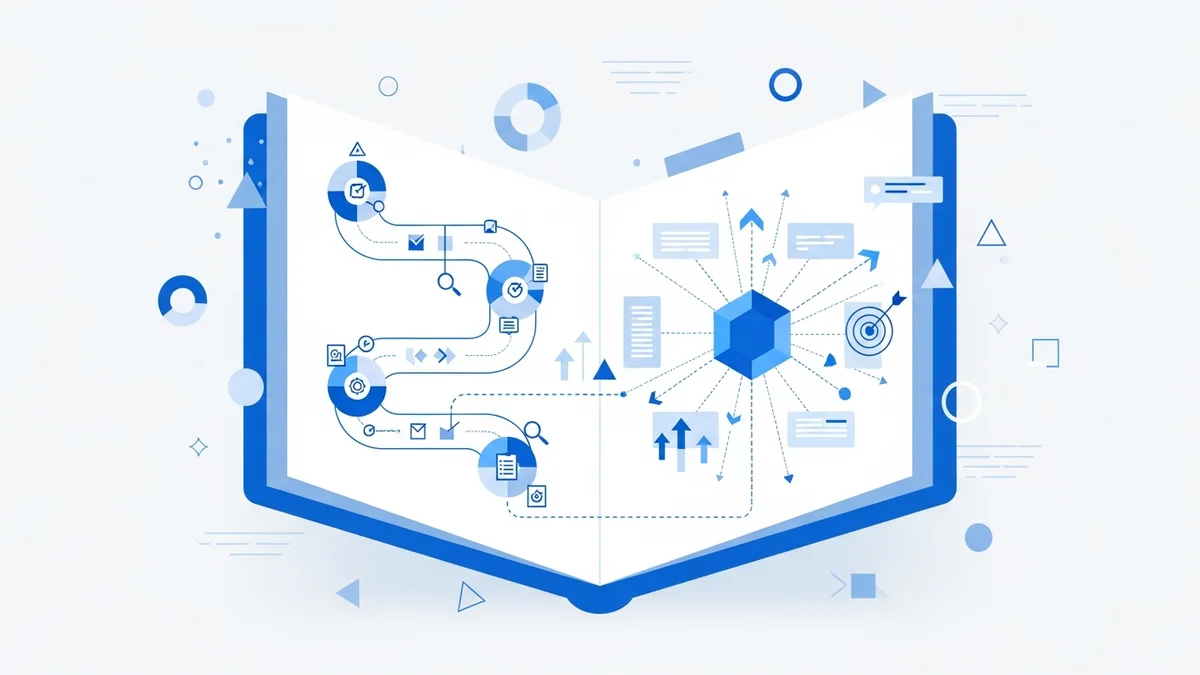
Its core architecture centers on three things: events (actions users take), attributes (data about users), and workflows (automated responses to both). This event-driven model makes it particularly powerful for SaaS companies running product-led growth motions — think trial-to-paid conversion campaigns, feature adoption nudges, and churn prevention flows triggered by inactivity signals.
The platform handles email, push notifications, SMS, in-app messages, and webhooks — all from a single visual workflow builder. Teams that pass event data via tools like Segment, mParticle, or Rudderstack can unlock especially sophisticated automations with minimal manual data wrangling.
Current market positioning: Customer.io competes directly with ActiveCampaign at the mid-market and with Braze and Iterable at the enterprise level. It's generally considered more developer-friendly than ActiveCampaign and more accessible than Braze — which makes it a natural choice for Series A/B SaaS companies with a technical growth team but not a full enterprise marketing ops budget.
Customer.io Pricing Breakdown
Customer.io offers three plan tiers. There is no free plan — the entry point is $100/month.
| Plan | Price | Contacts | Key Features |
|---|---|---|---|
| Essentials | $100/month | 5,000 | 1M email sends/month, visual workflow builder, 2 custom object types, basic integrations |
| Premium | $1,000/month | Custom | 10 custom object types, HIPAA compliance, premium support, advanced integrations |
| Enterprise | Typically $2,000+/month (custom quote) | Custom | Dedicated hardware, Customer Success Manager, migration assistance, audit logging |
The jump from Essentials to Premium is steep — a 10x increase in monthly cost. In practice, fast-growing teams often hit the $500/month range before they've even outgrown the Essentials feature set, simply because contact count drives pricing up. If you're adding users quickly, budget for that early.
Practical guidance by stage:
- Essentials ($100/mo): Right for teams with under 5,000 contacts running multi-step lifecycle campaigns. The 1M monthly email send limit is generous at this tier. Expect to stay here 6–18 months before contact growth becomes a pricing issue.
- Premium ($1,000/mo): Justified when you need HIPAA compliance (healthcare SaaS, health tech), complex custom data objects, or dedicated support SLAs. Also the right tier for teams with over 50,000 contacts managing multiple customer segments simultaneously.
- Enterprise ($2,000+/mo): Necessary when you need dedicated infrastructure, a named CSM, and full audit logging for compliance or internal reporting requirements. Most companies with 250,000+ active profiles end up here.
Customer.io Pros: What It Gets Right
1. Flexible Visual Workflow Builder
The workflow builder is genuinely best-in-class for event-driven automation. You can branch on user attributes, trigger off any event your product fires, add delays, split test messaging, and set exit conditions — all without writing code. For a team that's used to stitching automations together in spreadsheets or fighting with simpler tools, the builder is a significant unlock.
2. Powerful Segmentation
Segmentation in Customer.io is a consistent highlight across verified user reviews. You can create segments based on any combination of user attributes, event history, and behavioral patterns. Want to target users who completed onboarding but haven't used a specific feature in 14 days? That's a few clicks. Combine that with real-time segment updates and your campaigns stay accurate without manual list management.
3. True Multi-Channel Execution
Customer.io handles email, SMS, push notifications, in-app messages, and webhooks from one workflow. This matters because most lifecycle journeys need to span channels — an initial email, a push reminder, an in-app prompt. Having all of that in one tool eliminates the orchestration overhead of managing separate platforms and keeps your data unified.
Newsletter
Get the latest SaaS reviews in your inbox
By subscribing, you agree to receive email updates. Unsubscribe any time. Privacy policy.
4. Event-Based Triggers
The event-based trigger system is what separates Customer.io from broadcast tools. Every action a user takes in your product can fire a trigger that starts, modifies, or ends a workflow. This is the foundation of sophisticated activation and retention campaigns — and it's the main reason teams migrate to Customer.io from tools like Mailchimp or GetResponse once they need real behavioral automation.
5. Strong Developer and Integration Ecosystem
Customer.io integrates natively with Segment, mParticle, Rudderstack, Snowflake, and BigQuery — the data infrastructure stack that serious SaaS companies rely on. It also has a well-documented REST API for custom integrations. This means your engineering team can pipe the exact data you need into Customer.io without platform-imposed limitations on what attributes and events you can track.
6. Solid Customer Support
TrustRadius reviewers consistently rate Customer.io's support team highly — noting availability via chat, calls, and screen sharing. The documentation is detailed enough that technical marketers can often self-serve, and the support team steps in for complex setup questions. This is especially valuable during initial implementation when the learning curve is steepest.
Customer.io Cons: Where It Falls Short
1. Steep Learning Curve for Non-Technical Teams
Customer.io requires technical fluency to use effectively. Setting up event tracking requires engineering involvement. Designing data schemas for custom objects requires someone who understands data modeling. Writing personalized message content using Liquid templating requires at least basic coding familiarity. Marketing teams without a technical co-pilot will struggle — and likely underuse the platform significantly. If your team is non-technical, ActiveCampaign or HubSpot Marketing Hub are better starting points.
2. Pricing Scales Aggressively
The $100/month Essentials plan is accessible, but it's contact-count gated at 5,000 profiles. Fast-growing companies can blow through that within months. At 25,000–50,000 contacts, you're likely looking at $300–$500/month before reaching the Premium threshold. There's no middle-tier plan between $100 and $1,000 — that's a hard jump if you need features like HIPAA compliance or more than 2 custom object types.
3. Overkill for Simple Use Cases
If your email marketing needs are primarily weekly newsletters, basic welcome sequences, or simple promotional campaigns, Customer.io is the wrong tool. The complexity it offers is only valuable if you're actually using event-driven automation and behavioral segmentation. A team sending a newsletter to 10,000 subscribers is paying a premium for capability they're not using — and Mailchimp, Brevo, or GetResponse would serve them at a fraction of the cost.
4. Implementation Takes Real Time
Getting Customer.io fully operational — with proper event tracking, custom objects configured, and key workflows live — typically takes 4–8 weeks even for experienced teams. This isn't a weekend setup. Companies that underestimate implementation time often go live with a partial setup, miss out on the platform's core value, and end up frustrated with a $1,000/month tool doing the work of a $50/month one.
5. Reporting Has Gaps
Customer.io's analytics are functional but not exceptional. Attribution across multi-channel journeys can be difficult to trace. Teams that need deep revenue attribution, cohort analysis, or cross-campaign reporting often have to export data to a BI tool like Looker or Mode to get the answers they need. This is manageable if you have data infrastructure, but adds overhead for smaller teams.
Who Should Use Customer.io (and Who Shouldn't)
Good Fit
- B2B SaaS companies with 10,000–500,000 users running product-led growth motions — trial conversion, activation, expansion, and churn prevention campaigns built on product event data.
- B2C subscription businesses with complex retention flows — subscription lifecycle management, winback campaigns, and behavioral re-engagement.
- Teams with an engineering partner — even one developer or a technically fluent marketer makes a significant difference in how quickly you reach full implementation.
- Companies already using Segment or a CDP — Customer.io's native Segment integration means event data flows in automatically, dramatically reducing setup friction.
Poor Fit
- Early-stage startups with under 5,000 contacts and no clear lifecycle automation strategy yet — the cost-to-value ratio won't make sense.
- Non-technical marketing teams without engineering support — you'll hit a wall quickly and pay for features you can't configure.
- E-commerce brands focused on product catalog emails — tools like Klaviyo are purpose-built for e-commerce automation with native product feed integrations that Customer.io doesn't match.
- Companies primarily running outbound sales sequences — tools like HubSpot or Marketo Engage are better aligned to sales-driven workflows.
Common Mistakes Teams Make with Customer.io
Mistake 1: Launching Before Event Tracking Is Ready
The most frequent mistake: teams sign up for Customer.io before their product fires meaningful events. Without events like trial_started, feature_used, or payment_failed flowing into the platform, you're limited to time-based automations — which is exactly what you could do with a much cheaper tool. Don't commit to a $100–$1,000/month plan until your engineering team has instrumented at least 10–15 meaningful product events.
Mistake 2: Ignoring the Data Schema Design Phase
Teams often jump into building workflows before designing their data architecture. Poorly named events, inconsistent attribute structures, and missing user identifiers create technical debt that forces painful rework later. Spend two weeks mapping out your event taxonomy and user attributes before touching the workflow builder.
Mistake 3: Underusing Segmentation
Many teams build one or two static segments and run the same campaigns to broad audiences — which defeats the purpose of using Customer.io. The platform's segmentation engine can create dynamic real-time segments based on behavioral patterns. A team with 50,000 users should be running campaigns to 10+ distinct segments, not blasting everyone with the same message.
Mistake 4: Not Involving Engineering in Initial Setup
Marketers sometimes attempt to implement Customer.io entirely on their own. This works for basic email flows, but the platform's core value — event-driven automation — requires API calls and event instrumentation that only engineering can implement. Set up a joint kickoff between marketing and engineering before you start the clock on your paid subscription.
Customer.io vs. Key Alternatives
| Tool | Starting Price | Best For | Technical Requirement |
|---|---|---|---|
| Customer.io | $100/month | SaaS lifecycle automation | High — needs engineering support |
| ActiveCampaign | $15/month | SMB email + CRM automation | Low — marketer-friendly |
| Klaviyo | $20/month | E-commerce retention | Medium — Shopify-native |
| HubSpot Marketing Hub | $800/month (Pro) | B2B inbound + sales alignment | Medium — all-in-one suite |
| Marketo Engage | $895+/month | Enterprise B2B demand gen | High — enterprise complexity |
Final Verdict: Is Customer.io Worth It?
Customer.io earns its reputation as one of the most capable lifecycle marketing platforms for data-driven SaaS teams. The visual workflow builder is genuinely flexible, the segmentation engine is powerful, and the multi-channel execution from a single platform is a real operational advantage.
But the platform's value is conditional: you need behavioral event data, you need engineering support for initial setup, and you need a clear lifecycle marketing strategy before you sign up. Without those three things, you'll pay $100–$1,000/month for a tool running at 20% of its potential.
If you fit the profile — growth-stage SaaS, technical team, real product event data — Customer.io is one of the best investments in your marketing stack. If you're earlier stage or non-technical, start with ActiveCampaign or Brevo, build your automation fundamentals, and revisit Customer.io when you've outgrown them.