
GetResponse Features: The Complete 2026 Guide for Marketing Automation
GetResponse has evolved from a straightforward email marketing tool into a full-stack marketing automation platform — and in 2026, that evolution is more relevant than ever. With AI-driven automation, advanced segmentation, and a proven ROI track record, GetResponse competes directly with heavyweights like ActiveCampaign and HubSpot Marketing Hub.
This guide breaks down every major GetResponse feature, who it's built for, what the data says about its performance, and where it falls short compared to alternatives — so you can make an informed decision before committing.
Why GetResponse Still Matters in 2026
Email marketing remains the highest-ROI digital channel available to businesses. Industry data consistently shows brands earning an average of $36 for every $1 spent on email — outperforming paid social, display ads, and most content marketing investments. GetResponse is specifically built to capture that ROI with minimal manual overhead.
A Forrester Total Economic Impact study on GetResponse Max customers found:
- 305% ROI from the automation platform
- $302,000 net present value over the study period
- 73% reduction in campaign assembly effort
- Payback period of under 3 months
These aren't abstract projections — they reflect real workflow efficiency gains from businesses that replaced manual campaign management with GetResponse's automation engine. For ecommerce brands, SaaS companies, and digital agencies, those numbers translate directly to headcount savings and faster go-to-market on campaigns.
Core GetResponse Features Breakdown
1. Email Marketing and AI Email Generator
GetResponse's email builder is its flagship feature. It includes a drag-and-drop editor, over 150 free professionally designed templates, and an AI Email Generator that creates complete campaign drafts from a brief prompt.
The AI generator is genuinely useful for teams that produce high email volume — content creators, ecommerce stores, and agencies managing multiple clients. Rather than starting from a blank canvas, you input your goal and audience, and the tool returns a structured email with subject line, body copy, and CTA suggestions.
For design best practices, GetResponse's own research recommends paying close attention to three pre-open elements: sender name, subject line, and preheader text. These determine whether your email gets opened at all. Specifically:
- Use a recognizable sender name format such as "Name from Company" or "Company Team"
- Keep sender names short enough to avoid inbox truncation
- Send from a custom domain (e.g., james@yourdomain.com) rather than a free provider — this directly impacts deliverability and brand trust
- Authenticate your sending domain with DKIM and SPF records
The template library covers transactional, promotional, newsletter, and onboarding use cases. For teams without an in-house designer, this alone removes a significant bottleneck.
2. Marketing Automation Workflows
GetResponse's visual automation builder lets you create multi-step workflows triggered by subscriber behavior, time delays, tags, purchase history, or custom events. This is where the platform earns its place among serious marketing automation tools.
For ecommerce specifically, the nine automation workflows that drive the most revenue are:
- Welcome series with first-purchase discount
- Abandoned cart recovery (typically 3-email sequence)
- Post-purchase upsell and cross-sell flows
- Win-back campaigns for lapsed customers
- Browse abandonment triggers
- Loyalty and VIP tier upgrades
- Product review request sequences
- Back-in-stock notifications
- Replenishment reminders for consumable products
The key advantage of automation over manual sends is timing precision. A welcome discount sent within the first 10 minutes of signup converts at a significantly higher rate than the same offer sent 24 hours later. GetResponse's trigger system handles this automatically, firing the right message at the moment of highest engagement.
3. Advanced Segmentation
GetResponse supports segmentation by demographics, behavioral data, purchase history, engagement score, geographic location, and custom fields. For the GetResponse Max tier, this extends to advanced audience segmentation that enables true 1:1 personalization at scale.
Effective segmentation directly multiplies the ROI of every campaign. Sending a re-engagement sequence only to subscribers who haven't opened in 90 days, for example, protects your sender reputation while maximizing list value — rather than blasting the entire list and triggering spam complaints.
Newsletter
Get the latest SaaS reviews in your inbox
By subscribing, you agree to receive email updates. Unsubscribe any time. Privacy policy.
4. Landing Pages and Signup Forms
GetResponse includes a landing page builder with A/B testing, a countdown timer widget, and conversion-optimized templates. This removes the need for a separate tool like Unbounce or Leadpages for basic lead capture use cases.
Signup forms can be embedded, displayed as popups, or triggered by exit intent. These feed directly into your automation workflows, so a new subscriber immediately enters the welcome sequence without any manual action.
5. Webinar Hosting
GetResponse is one of the few email platforms that includes built-in webinar functionality. This is particularly valuable for B2B marketers, coaches, and SaaS companies that use webinars as a lead generation and nurturing channel. The integration between webinar attendance data and email segmentation means you can automatically tag attendees, no-shows, and replay viewers — then trigger different follow-up sequences for each group.
6. Ecommerce Integrations
GetResponse connects natively with Shopify, WooCommerce, Magento, and PrestaShop. These integrations enable product recommendation emails, revenue tracking inside the platform, and purchase-triggered automation. For ecommerce brands, this means you can measure exactly how much revenue each automation workflow generates — a level of attribution that justifies the platform cost quickly.
GetResponse Pricing in 2026
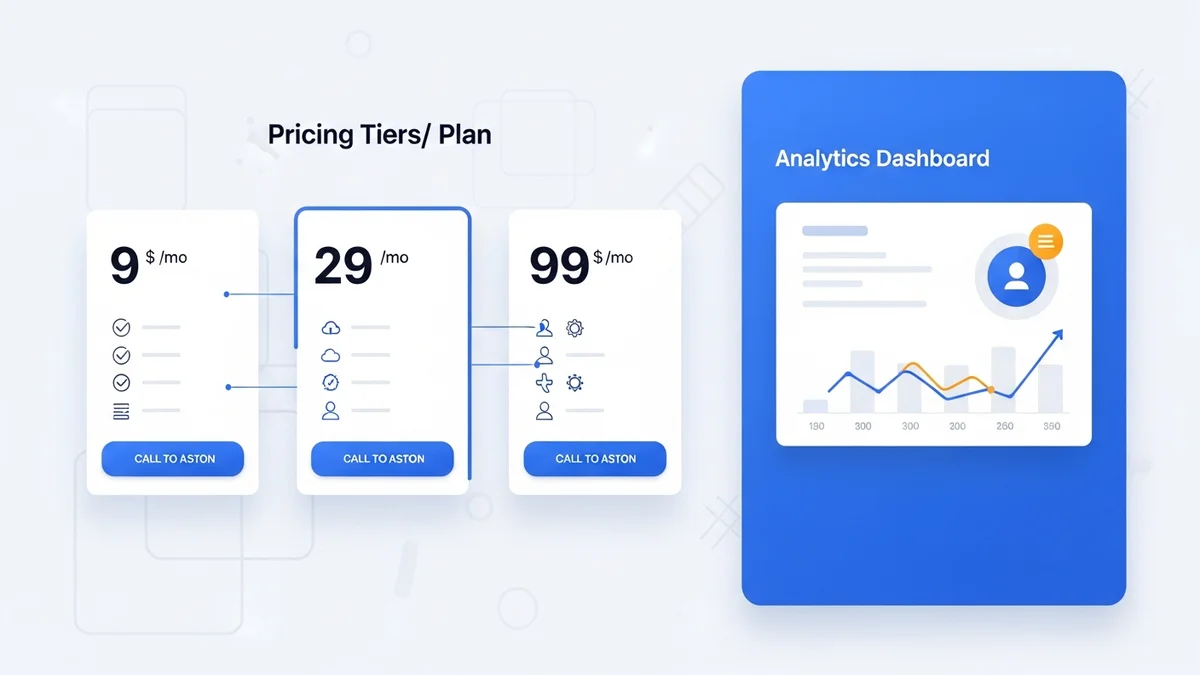
| Plan | Monthly Price (1,000 contacts) | Key Features |
|---|---|---|
| Email Marketing | $19/month | Email campaigns, autoresponders, unlimited landing pages, signup forms |
| Marketing Automation | $59/month | All Email features + automation workflows, event-based triggers, advanced segmentation, webinars (100 attendees) |
| Ecommerce Marketing | $119/month | All Automation features + ecommerce segmentation, product recommendations, abandoned cart, promo codes |
| GetResponse Max | From $1,099/month | All Ecommerce features + dedicated IP, transactional emails, SMS, priority support, custom integrations |
Pricing scales with contact list size. At 10,000 contacts, the Marketing Automation plan runs approximately $109/month. The free plan allows up to 500 contacts with basic email sending — useful for validating the tool before committing.
GetResponse vs. Key Competitors
| Platform | Best For | Starting Price (1K contacts) | Automation Depth |
|---|---|---|---|
| GetResponse | All-in-one for SMBs and ecommerce | $19/month | Strong — visual builder with 9+ workflow templates |
| ActiveCampaign | CRM-heavy B2B automation | $29/month | Very deep — CRM + sales automation included |
| Klaviyo | Ecommerce-first brands | $45/month | Strong — revenue attribution built in |
| Mailchimp | Beginners and micro-businesses | $20/month | Limited — basic automations only |
| Brevo | High-volume transactional email | $25/month | Moderate — good transactional, weaker behavioral |
GetResponse's main competitive advantage is the breadth of features at mid-market pricing. You get email, automation, landing pages, webinars, and ecommerce tools under one subscription — whereas competitors like ActiveCampaign or Klaviyo require third-party tools or higher tiers to match that feature surface.
Common Mistakes When Using GetResponse (and How to Fix Them)
Mistake 1: Sending from a Free Email Domain
Many new users set up their account with a Gmail or Yahoo sender address. In 2026, this is a direct path to the spam folder. Gmail and Yahoo's updated sending policies now require bulk senders to authenticate custom domains. Sending from name@yourbusiness.com — authenticated with SPF, DKIM, and DMARC — is no longer optional if you want inbox placement above 90%.
Fix: Connect your domain inside GetResponse's settings, generate DKIM records, add them to your DNS, and verify. This takes under 30 minutes and immediately improves deliverability.
Mistake 2: Not Using Automation for Welcome Emails
Sending a welcome email manually — or worse, not sending one at all — wastes your highest-engagement moment. New subscribers are most attentive in the first 60 minutes after opting in. A welcome automation that fires immediately with a clear value proposition and next step captures that attention window.
Fix: Build a 3-email welcome sequence: (1) immediate welcome + what to expect, (2) your best content or offer sent 24 hours later, (3) a light CTA or survey at 72 hours. GetResponse's automation builder makes this a 20-minute setup.
Mistake 3: Ignoring List Segmentation Until the List Is Large
Teams often delay segmentation, assuming it only matters at scale. In reality, segmenting from the start — even into two groups like "clicked a link" vs. "never engaged" — produces dramatically better open and conversion rates immediately.
Fix: Use GetResponse's tagging system from day one. Tag subscribers based on the signup source, content interest, or any link they click. These tags become the foundation for behavioral automation later.
Mistake 4: Building Automations Without Testing Timing
A common error is setting up a 7-email nurture sequence without testing the timing between emails. Too fast (daily emails) burns subscribers out. Too slow (weekly gaps in a sales sequence) lets prospects lose context and interest.
Fix: For sales sequences, 2–3 day gaps are typically optimal. For onboarding flows, daily emails for the first 3–5 days followed by weekly cadence tends to maximize feature adoption without overwhelming users.
Mistake 5: Not Tracking Revenue Attribution
Many GetResponse users send campaigns and measure opens and clicks — but never connect those metrics to revenue. Without revenue attribution, you can't distinguish a high-performing automation from a low-performing one.
Fix: Connect your ecommerce store via GetResponse's native integrations or UTM parameters. The Ecommerce Marketing plan includes direct revenue tracking per campaign and per automation, which allows you to optimize based on what actually drives purchases rather than vanity metrics.
Who Should Use GetResponse in 2026
GetResponse is the right choice for:
- Ecommerce stores under $5M annual revenue that need abandoned cart, post-purchase, and product recommendation flows without paying for an enterprise platform
- Digital product creators and course sellers who want email + landing pages + webinars in a single subscription
- Marketing agencies managing campaigns for multiple SMB clients — the breadth of features means fewer tools to maintain
- B2B teams with up to 25,000 contacts where the automation depth meets needs without requiring a CRM-heavy platform like HubSpot or Marketo Engage
GetResponse is less ideal for enterprise B2B teams that need deep CRM integration, lead scoring, and sales pipeline management — those use cases are better served by ActiveCampaign or Pardot (Salesforce). Similarly, pure ecommerce brands doing significant revenue at scale may find Klaviyo's native Shopify integration and revenue-first reporting more specialized for their needs.
Final Verdict
GetResponse delivers exceptional value at the Marketing Automation and Ecommerce tiers — particularly the verified 305% ROI and 73% efficiency gains documented in the Forrester study. The platform's AI Email Generator, visual automation builder, and integrated landing pages remove significant tooling complexity for growing businesses.
The primary reason to look elsewhere: if your automation needs are heavily CRM-dependent, or if you're a high-volume ecommerce brand where Klaviyo's revenue attribution depth would pay for itself in optimization gains.
For the vast majority of SMBs and growing ecommerce businesses, GetResponse hits the sweet spot of capability, price, and ease of implementation in 2026.