HubSpot Marketing Hub: A Comprehensive Features Guide for 2026
HubSpot Marketing Hub sits at the top of the marketing automation market for a reason: it combines deep CRM integration, multi-channel campaign management, and a growing suite of AI-powered features into a single platform. But that breadth comes with real tradeoffs — complexity, cost at scale, and a learning curve that trips up teams who try to run before they walk. This guide covers every major feature category, what's changed in early 2026, pricing you can actually plan around, and the mistakes that cost teams the most.
Strategic Overview: Where HubSpot Marketing Hub Sits in 2026
The marketing automation market has consolidated significantly. Mid-market and enterprise teams are increasingly demanding platforms that eliminate the "tool stack tax" — the overhead of stitching together separate tools for email, CRM, landing pages, ads, and reporting. HubSpot's pitch is a unified platform where data flows without connectors, and where a sales rep and a marketer are looking at the same contact record.
What's shifted in 2026 is HubSpot's aggressive push toward AI-native features. January 2026 alone shipped 14 notable updates, most of them focused on removing manual friction from daily work: predicting segment engagement before you send, breaking tasks into subtasks inside deal and service records, and tightening lifecycle stage automation. These aren't flashy features — they're the kind of fixes that quietly cut hours per week off admin-heavy marketing operations.
For teams evaluating alternatives, the honest comparison looks like this: Marketo Engage goes deeper on enterprise-grade segmentation and lead scoring, but costs significantly more to run and maintain. ActiveCampaign undercuts HubSpot on price for smaller lists and offers comparable automation depth for SMBs. Pardot (Salesforce) makes more sense if your sales team is already Salesforce-native. HubSpot wins when you want one platform that can grow from 500 contacts to 50,000 without a full migration.
Core Feature Categories Explained
Email Marketing and Segmentation
HubSpot's email builder uses a drag-and-drop block editor with smart content modules that swap content based on contact properties, lifecycle stage, or list membership. This is available starting at Professional tier, and it's where most teams find the biggest ROI early on.
As of January 2026, HubSpot added predictive segment engagement labels directly inside the segment view. Before you send an email, you'll see one of four ratings applied to your segment: High, Medium, Low, or Unknown (shown when there isn't enough historical data). This is based on how contacts in that segment have engaged historically compared to your portal's overall engagement benchmarks. For managers, this creates an early warning system — a "Low" label before a campaign launch is a signal to revisit the message, the timing, or whether that audience segment is the right target for that campaign at all.
Marketing Automation and Workflows
HubSpot's workflow builder is branch-based, supporting contact, company, deal, ticket, and quote-based workflows depending on tier. At Professional, you get 300 active workflows. At Enterprise, that scales to 1,000 active workflows with cross-object enrollment and custom behavioral events.
January 2026 brought workflow improvements that specifically target the "we'll clean that up later" problem: better lifecycle stage automation that reduces orphaned contacts, and cleaner workflow branching logic. These are admin wins that reduce the accumulation of technical debt in heavily automated portals.
Landing Pages and Forms
Landing page creation, A/B testing, and smart CTAs are all available at Professional and above. The form builder connects natively to contact records, and progressive profiling — where returning visitors are asked different questions on forms — is available at Professional tier and up. This is one of the features that consistently separates HubSpot from lighter tools like Mailchimp, which lacks native progressive profiling without third-party integrations.
Ad Management
HubSpot connects to Google Ads, Facebook Ads, LinkedIn Ads, and Instagram Ads. The key value is audience syncing — you can build a HubSpot list and push it directly to these ad platforms as a custom audience, or use contact data to suppress existing customers from acquisition campaigns. Attribution reporting ties ad spend to pipeline and revenue when using HubSpot's full CRM stack. Attribution reporting at the multi-touch level requires Marketing Hub Professional or Enterprise.
Newsletter
Get the latest SaaS reviews in your inbox
By subscribing, you agree to receive email updates. Unsubscribe any time. Privacy policy.
Reporting and Analytics
Marketing Hub Professional includes up to 25 custom dashboards. Enterprise unlocks up to 50 dashboards with revenue attribution reporting. The January 2026 updates touched reporting improvements that reduce manual data cleanup — fewer edge cases where contacts fall into incorrect lifecycle stages and skew funnel reports.
HubSpot Marketing Hub Pricing: Real Numbers
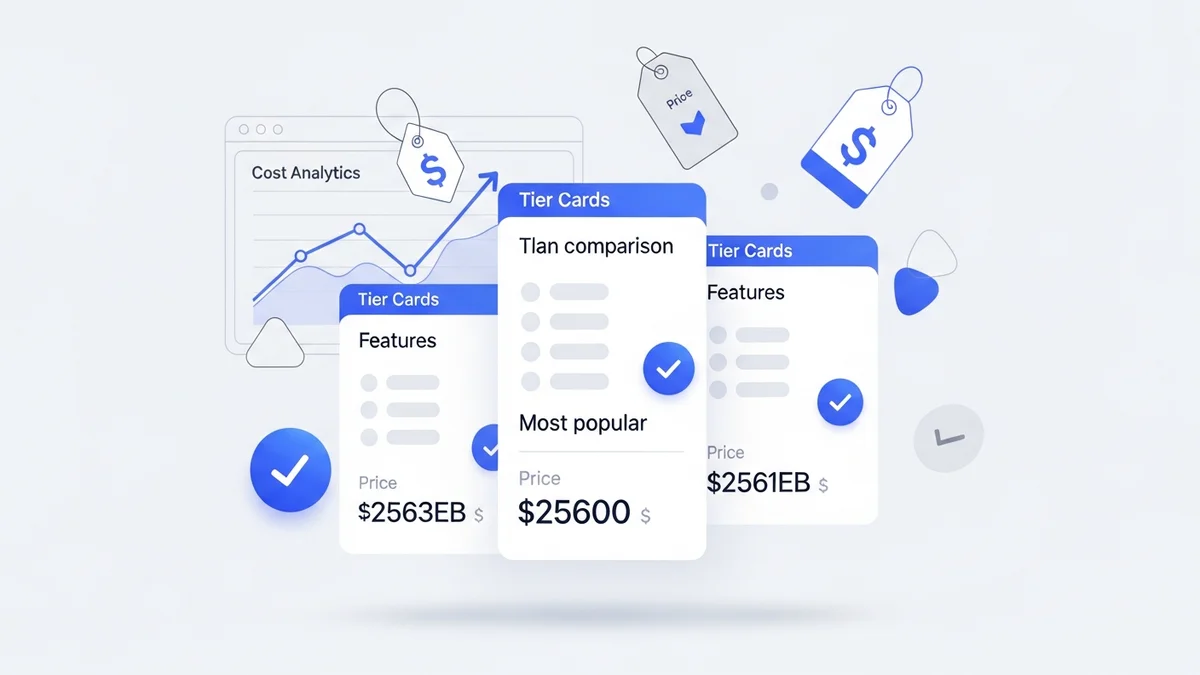
| Tier | Starting Price | Contact Limit | Key Features Included |
|---|---|---|---|
| Free | $0/month | Up to 1,000,000 (limited tools) | Basic forms, email (HubSpot branding), contact management |
| Starter | $20/month | 1,000 marketing contacts | Email marketing, ad management (basic), simple automation, HubSpot branding removed |
| Professional | $890/month | 2,000 marketing contacts | Omnichannel automation, smart content, A/B testing, SEO tools, social media, custom reporting |
| Enterprise | $3,600/month | 10,000 marketing contacts | Multi-touch revenue attribution, custom behavioral events, team partitioning, 1,000 workflows |
One important cost factor that catches teams off guard: HubSpot charges based on marketing contacts, not total contacts in your CRM. Non-marketing contacts (those you mark as opted-out or non-marketable) don't count toward billing. At Professional, adding contacts above 2,000 costs approximately $224.72 per additional 1,000 contacts per month. Plan your contact scaling before you commit to a tier — going from 2,000 to 10,000 contacts mid-contract can meaningfully change your monthly spend.
Campaign Setup Best Practices
One of the most common structural debates HubSpot users face is how to organize campaigns when you're distributing a single piece of content across multiple channels. The HubSpot community consensus, validated by power users managing B2B marketing programs, is to use the content piece as the anchor campaign and associate all distribution channels as assets under that campaign — with one critical caveat.
If you need channel-level attribution (i.e., you want to know whether LinkedIn Ads or organic email drove more pipeline for a specific eBook), you have two options:
- UTM parameters per channel: Create unique UTM-tagged URLs for each distribution channel and track them via HubSpot's traffic analytics. This keeps one campaign while breaking out source data at the report level.
- Separate paid campaigns: Create a distinct campaign for paid distribution of a piece of content when the paid channel has its own budget and performance goal separate from organic. This approach adds campaign overhead but gives cleaner in-platform attribution.
The mistake is defaulting to separate campaigns for everything because it feels more granular. Too many campaigns creates reporting noise, makes lifecycle stage reporting unreliable, and fragments influence attribution. Start with one anchor campaign per content piece, use UTMs aggressively, and only break out a separate campaign when the channel has its own discrete goal.
What's New in January 2026: Updates Worth Acting On
HubSpot's January 2026 release batch was notable for its focus on reducing the gap between "how the tool works" and "how teams actually work." Here are the updates with direct operational impact:
- Segment engagement prediction (all tiers): Labels segments High, Medium, Low, or Unknown before send. Use this to reset internal expectations before campaigns and to flag low-engagement segments for re-engagement sequencing rather than batch blasting.
- Subtasks in projects and records: Tasks inside deal records, service records, and Gantt views can now be broken into nested subtasks. For marketing teams managing campaign launches across multiple stakeholders, this reduces the need for external project management tools for smaller projects.
- Lifecycle stage automation improvements: Reduces orphaned contacts and incorrect stage assignments that previously required manual cleanup or complex workaround workflows. This is particularly valuable in portals with high contact volume where lifecycle reporting drives pipeline forecasting.
- Workflow and segmentation friction reduction: Multiple under-the-hood improvements to reduce edge cases that previously required workarounds or follow-up cleanup. Admins managing large, complex portals will notice fewer exceptions.
Common Mistakes and How to Avoid Them
Mistake 1: Not Segmenting Marketing Contacts Before Scaling
Teams migrating from lighter tools like GetResponse often import their full contact list into HubSpot without first auditing who should be "marketing contacts" for billing purposes. If you import 50,000 contacts but only 15,000 are active email subscribers, you're paying for 35,000 contacts you don't need to market to. Mark non-marketing contacts before they hit your portal — not after.
Mistake 2: Building Workflows Before Cleaning Lifecycle Stages
Enrollment triggers based on lifecycle stage only work cleanly when lifecycle stages are accurate. Teams that build enrollment workflows on top of dirty stage data end up with contacts enrolled in the wrong sequences and funnel reports that don't match reality. Audit and clean lifecycle stages first, then build workflows. The January 2026 improvements help reduce new errors accumulating, but they don't retroactively fix existing data problems.
Mistake 3: Ignoring the Segment Engagement Prediction Signal
With segment engagement prediction now live across all tiers, there's no longer an excuse for sending to low-engagement segments without adjusting strategy first. A concrete example: a SaaS team sends a monthly product update email to their full 8,000-contact list. The segment shows a "Low" engagement label. Instead of simply sending anyway, they split the list — sending the standard email to High/Medium engagement contacts and triggering a re-engagement sequence for the Low segment with a different subject line and offer. Open rates on the re-engagement variant run 40% higher than the standard send would have performed with that audience.
Mistake 4: Treating Professional as a Long-Term Tier Without Planning for Enterprise
Professional's 300 active workflow limit sounds generous until you're running 20+ lead nurture sequences, 15 internal notification workflows, and multiple list maintenance automations simultaneously. Teams that hit this ceiling mid-year face either an unplanned Enterprise upgrade or a workflow audit they didn't budget time for. If you're building a marketing automation program intended to scale to 10+ workflows within 12 months, model the workflow ceiling into your roadmap from the start.
Is HubSpot Marketing Hub Right for Your Stack?
HubSpot Marketing Hub earns its position as the default recommendation for teams that want a unified CRM-plus-marketing platform and can absorb the Professional-tier cost. For pure email automation at a lower price point, Customer.io offers more flexible event-based triggering for product-led teams. For ecommerce, Klaviyo's revenue attribution and Shopify native integration are hard to match. For enterprise B2B with complex lead scoring, Marketo's depth still leads.
But for the majority of B2B and B2C teams in the 1,000–50,000 contact range that want one platform to handle email, ads, landing pages, and CRM without heavy IT involvement — HubSpot Marketing Hub at Professional tier remains the benchmark to beat in 2026. The January updates reinforce a pattern: HubSpot is consistently shipping practical fixes over flashy features, which is exactly what mature marketing operations teams need from a platform they run every day.
For a full feature comparison, see our detailed review of HubSpot Marketing Hub.