
Why CRM and Marketing Automation Integration Is No Longer Optional
If your CRM and marketing automation tools are not talking to each other in 2026, you are running your business with one hand tied behind your back. The gap between knowing who a contact is (CRM) and knowing how to engage them at scale (marketing automation) has historically been one of the most expensive inefficiencies in B2B and B2C marketing alike. Integrated systems close that gap — and the results are not marginal improvements. They are structural advantages.
A standalone CRM stores contact records, tracks deals, and logs call notes. A standalone marketing automation platform sends emails, scores leads, and triggers workflows. Neither is sufficient on its own. When you integrate the two, contact behavior from campaigns instantly updates CRM records, sales reps see exactly which emails a prospect opened before calling, and lead scoring based on real behavioral signals drives smarter pipeline prioritization. That is not a luxury — it is the baseline expectation for competitive marketing operations today.
This guide breaks down how CRM marketing automation integration actually works, which platforms do it best natively versus through third-party connectors, and how to choose the right setup for your team's size and complexity.
What CRM Marketing Automation Integration Actually Means
The term gets used loosely, so it is worth being precise. CRM marketing automation integration refers to a two-way data sync between a customer relationship management system and a marketing automation platform — or, increasingly, a single platform that handles both functions natively.
The Data Flow That Matters
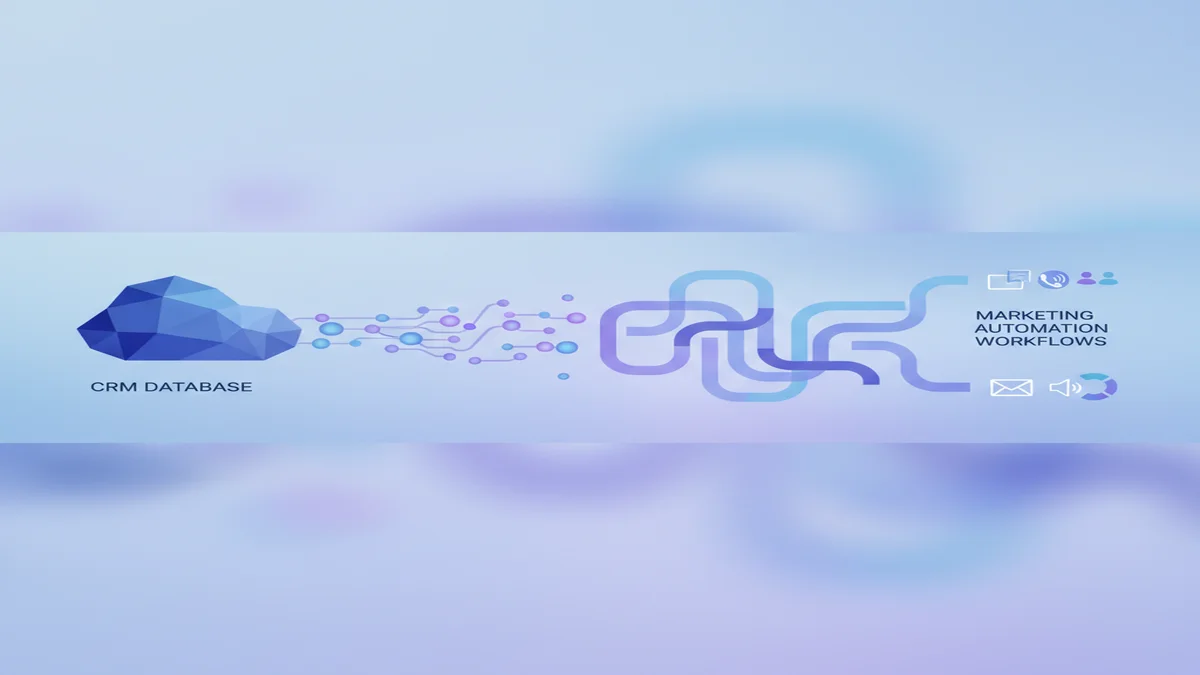
Integration works in both directions simultaneously. Marketing automation pushes data into the CRM: email opens, link clicks, form submissions, page visits, campaign enrollment history, and lead scores. The CRM pushes data back into marketing automation: deal stage changes, contact ownership, lifecycle stage updates, and custom field values set by sales reps.
When a sales rep marks a deal as "closed lost" in the CRM, an integrated marketing automation system should automatically enroll that contact in a re-engagement nurture sequence. When a prospect clicks a pricing page link in an email three times in one week, that behavioral signal should surface as an alert in the CRM and escalate their lead score. These are not hypothetical workflows — they are the exact sequences that integrated platforms enable out of the box.
Native Integration vs. Third-Party Connectors
There are two structural approaches. Native integration means the CRM and marketing automation live inside the same platform — HubSpot Marketing Hub is the clearest example of this model. Third-party connector integration means separate best-of-breed tools connected via Zapier, Make, or a dedicated integration layer. Both can work, but native integration typically offers deeper data fidelity, fewer sync delays, and lower total maintenance overhead.
The tradeoff is flexibility versus depth. If you have a Salesforce CRM investment you cannot move away from, pairing it with Pardot (Salesforce) — now called Marketing Cloud Account Engagement — gives you a native connection built specifically for that stack. If you are on HubSpot CRM, HubSpot Marketing Hub is the obvious native choice. But if you are using a niche CRM and need enterprise-grade automation, tools like Marketo Engage offer robust API-based integrations that, with proper setup, approach native-level reliability.
The Business Case: What Integration Actually Delivers
Integration is not an IT project — it is a revenue initiative. The business outcomes it drives are concrete and measurable.
Faster Lead Response and Routing
High-intent routing — getting the right lead to the right sales rep at the right moment — is one of the most valuable capabilities an integrated stack enables. When a prospect fills out a demo request form and their CRM record shows they have visited the pricing page four times this month, that context should reach a sales rep in seconds, not after a manual data export at the end of the week. Integrated platforms make this real-time routing possible through trigger-based workflows tied to CRM deal stage or contact property changes.
Eliminating Data Silos Between Sales and Marketing
The single biggest cause of misalignment between sales and marketing teams is fragmented data. Marketing does not know which leads converted and why. Sales does not know what content a prospect consumed before the first call. Integration solves this at the infrastructure level. Every touchpoint — email engagement, ad clicks, webinar attendance, form fills — becomes visible inside the CRM record, giving sales reps the full picture before any conversation begins.
Automated Lead Scoring That Actually Reflects Intent
Lead scoring only works when it is built on comprehensive behavioral data. Scoring a contact based on email opens alone misses most of the signal. An integrated system scores contacts on CRM-side attributes (company size, industry, deal stage) combined with marketing-side behavior (content downloads, page visits, email engagement patterns). This combination produces scores that sales teams actually trust and act on — which is the only measure of whether a lead scoring model is working.
Newsletter
Get the latest SaaS reviews in your inbox
By subscribing, you agree to receive email updates. Unsubscribe any time. Privacy policy.
Top Platforms for CRM Marketing Automation Integration
The platforms below represent the strongest options across different use cases, team sizes, and existing tech stacks. Pricing reflects 2026 published rates.
| Platform | Integration Model | Starting Price | Best For | CRM Included |
|---|---|---|---|---|
| HubSpot Marketing Hub | Native (same platform) | $15/month/seat (Starter) | SMB to mid-market, all-in-one | Yes |
| ActiveCampaign | Native CRM + automation | $15/month (Starter) | SMB email-first teams | Yes (built-in deals CRM) |
| Pardot (Salesforce) | Native Salesforce integration | $1,250/month (Growth) | Enterprise Salesforce shops | Via Salesforce CRM |
| Marketo Engage | API + native Salesforce/MS Dynamics | $895/month (est. base) | Enterprise B2B marketing ops | No (integrates with external CRM) |
| Brevo | Built-in CRM pipeline | $9/month (Starter) | Small teams, budget-conscious | Yes (basic pipeline) |
| Mailchimp | Audience-based CRM features | $13/month (Essentials) | E-commerce, simple lists | Partial (audience management) |
HubSpot Marketing Hub: The Benchmark for Native Integration
HubSpot Marketing Hub is the platform most teams should evaluate first when considering CRM marketing automation integration, precisely because there is no integration to set up — the CRM and marketing tools are one system. Contact records update in real time as campaigns run. Lead scores built in the marketing hub drive workflows that notify CRM users instantly. The Starter tier at $15/seat/month is accessible for small teams, though meaningful marketing automation features like lead scoring and advanced workflows require the Professional tier at $800/month.
The honest limitation is cost at scale. HubSpot's pricing climbs steeply as contact lists grow and feature requirements expand. For teams that hit the Professional tier and above, the value proposition holds — but budget-constrained teams should pressure-test the total cost against their actual contact volume before committing.
ActiveCampaign: Best Integration Depth for SMBs
ActiveCampaign occupies a genuinely impressive position: it offers a built-in deals CRM alongside one of the most powerful automation engines available below the enterprise tier. The Starter plan at $15/month includes basic automation, while the Plus plan at $49/month unlocks the CRM with sales automation — the point where CRM and marketing automation genuinely converge. The automation builder is visual and deep, allowing conditional branching based on CRM deal stage changes, contact field updates, and engagement signals simultaneously.
For teams that want serious automation without enterprise pricing, ActiveCampaign's integrated model is hard to beat in its category.
Pardot: The Right Answer for Salesforce-Committed Organizations
If your organization runs Salesforce CRM and that is not changing, Pardot is not just a recommendation — it is the logical conclusion. The native sync between Pardot campaigns and Salesforce records is the deepest available between any marketing automation platform and a CRM, because they are built by the same company to share the same data model. Lead scoring in Pardot reflects in Salesforce immediately. Campaign influence attribution in Pardot maps directly to Salesforce opportunities.
The barrier is price. Pardot's Growth tier starts at $1,250/month for up to 10,000 contacts, making it inaccessible for small teams. This is an enterprise tool that requires enterprise budget justification — but for large Salesforce shops, the ROI from eliminating CRM-marketing data gaps is measurable in pipeline velocity.
Brevo: Integrated on a Budget
Brevo takes a different approach by bundling a basic CRM pipeline directly into its marketing platform at a price point that starts at $9/month. The depth of CRM functionality does not compare to Salesforce or HubSpot, but for small teams running email campaigns and basic sales pipelines, the integration eliminates the need for a separate CRM tool entirely. The automation features are solid for the price, and the contact limit structure (billing by emails sent rather than contacts stored) makes it cost-effective for large lists with lower send frequency.
How to Evaluate Integration Depth Before Buying
Not all integrations are equal. A vendor claiming "CRM integration" might mean a native bidirectional sync that updates in seconds, or it might mean a one-way daily batch export. Here is how to pressure-test integration depth before committing to a platform.
Ask About Sync Direction and Frequency
Bidirectional real-time sync is the standard you should demand. One-way syncs limit what marketing can learn from CRM data. Delayed syncs (hourly, daily) break time-sensitive workflows like lead routing based on deal stage changes. Any platform worth evaluating should be able to specify sync frequency in minutes, not hours.
Test Field Mapping Flexibility
Standard field mapping covers names, emails, and phone numbers. What you actually need is the ability to map custom CRM fields to marketing segmentation criteria. Can a custom "customer tier" field in your CRM drive campaign enrollment in your marketing platform? If the answer requires engineering resources or workarounds, that is a red flag about the real depth of the integration.
Evaluate Workflow Trigger Coverage
The most powerful integrations allow CRM events to trigger marketing workflows and vice versa. A deal moving to "proposal sent" in the CRM should be able to trigger a specific email sequence automatically. A contact unsubscribing from marketing emails should update a CRM field immediately to prevent sales reps from referencing email campaigns the contact has opted out of. Walk through these scenarios specifically during any product demo.
Integration Architecture: Native vs. Middleware vs. API
For teams using best-of-breed tools rather than all-in-one platforms, the integration architecture decision is critical. The three main approaches each have different cost, maintenance, and reliability profiles.
Native Connectors
Most major marketing automation platforms — including Mailchimp, Klaviyo, and GetResponse — offer pre-built native connectors to popular CRMs like Salesforce, HubSpot CRM, and Zoho. These connectors are the fastest to set up and typically the most reliable, because the vendor maintains them. The tradeoff is that native connectors often offer limited field mapping flexibility and may not support complex custom objects.
Middleware Platforms
Tools like Zapier, Make, and Activepieces act as intermediaries between your CRM and marketing automation platform, passing data between systems based on trigger-action rules. This approach works well for straightforward use cases: "when a new deal is created in CRM, add the contact to a Mailchimp audience segment." The limitations appear at volume and complexity: middleware adds latency, can introduce sync failures without clear alerting, and becomes expensive at high operation volumes.
Direct API Integration
For enterprise teams with development resources, direct API integration offers the highest flexibility and reliability. Both Marketo Engage and Pardot expose comprehensive APIs that allow custom integration logic, complex field mapping, and real-time event processing. This approach requires ongoing engineering maintenance but removes the constraints of pre-built connectors and middleware platforms entirely.
Choosing the Right Integrated Stack for Your Team
The right CRM marketing automation integration depends on three variables: your current CRM investment, your team's technical capacity, and your marketing complexity. Here is a practical decision framework.
If you are starting from scratch without a CRM commitment, choose a platform with native integration — HubSpot or ActiveCampaign are the strongest options at their respective price points. If you are locked into Salesforce CRM, Pardot is the native path; Marketo Engage is the alternative for teams that need more advanced marketing features than Pardot provides. If you are a small e-commerce or DTC brand, Klaviyo or Drip offer strong e-commerce CRM features natively integrated with their automation engines.
The worst outcome is choosing a platform for its marketing automation features without verifying that its CRM integration matches your actual workflow requirements. A technically impressive automation platform that syncs with your CRM on a 24-hour delay is not an integrated stack — it is two separate tools with a scheduled data transfer. Demand real-time, bidirectional sync as the baseline, and evaluate everything else from there.
CRM and marketing automation integration is not a feature to check off a list. It is the architectural foundation that determines whether your sales and marketing teams are working from shared reality or separate fictions. In 2026, the tools to build that foundation are accessible at every price point — the only question is whether your setup is actually using them.